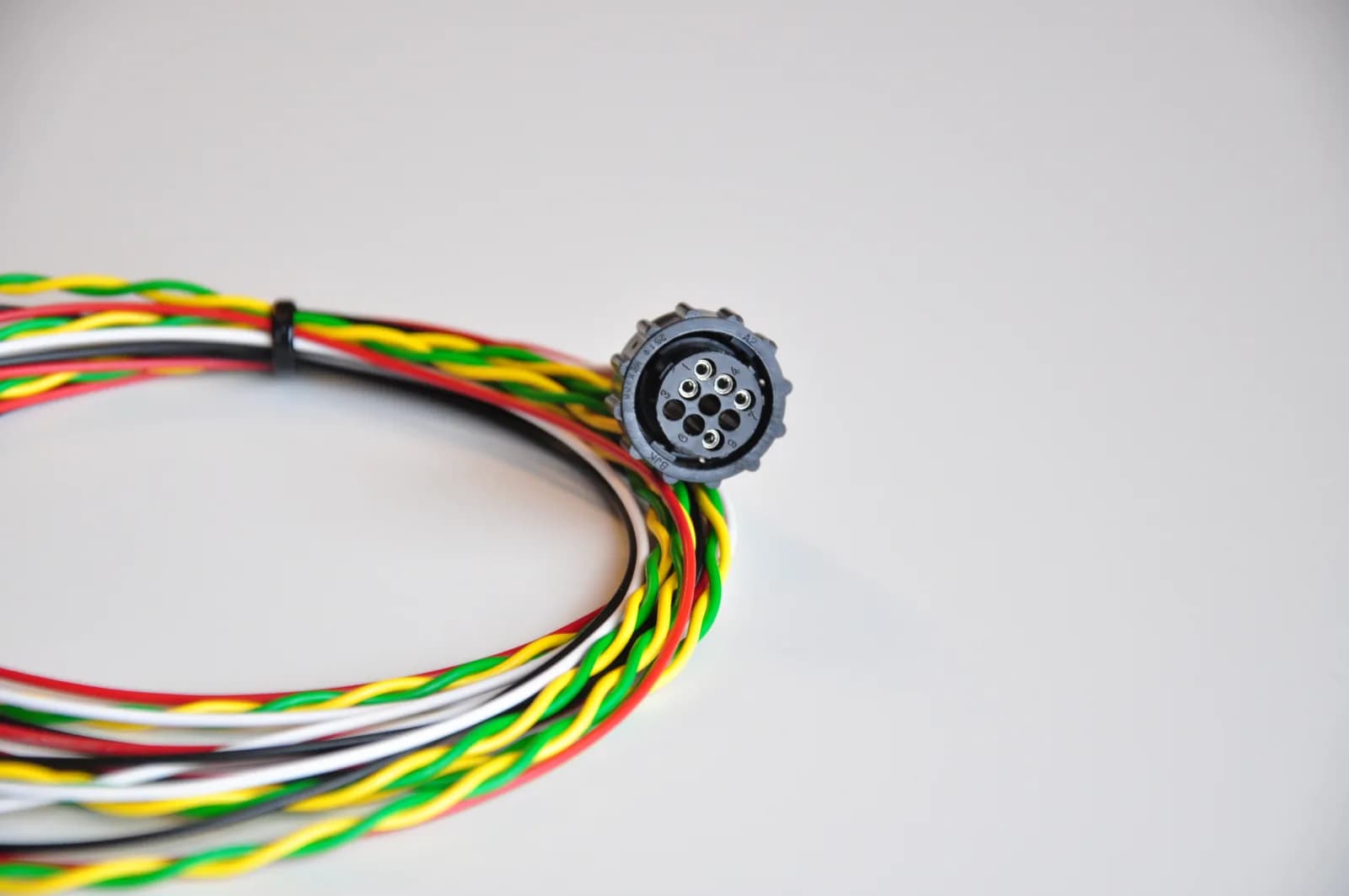
In short: The ISOBUS in-cab connector is the 9-pin socket inside the cab, usually to the right of the operator's seat. ISOBUS Block wires to four of its pins: CAN_L on pin 2, CAN_H on pin 4, BAT+ (12 V or 24 V) on pin 7 and ground on pin 9. Pins 2 and 4 are CAN 1, the tractor's internal bus where the Virtual Terminal sits.
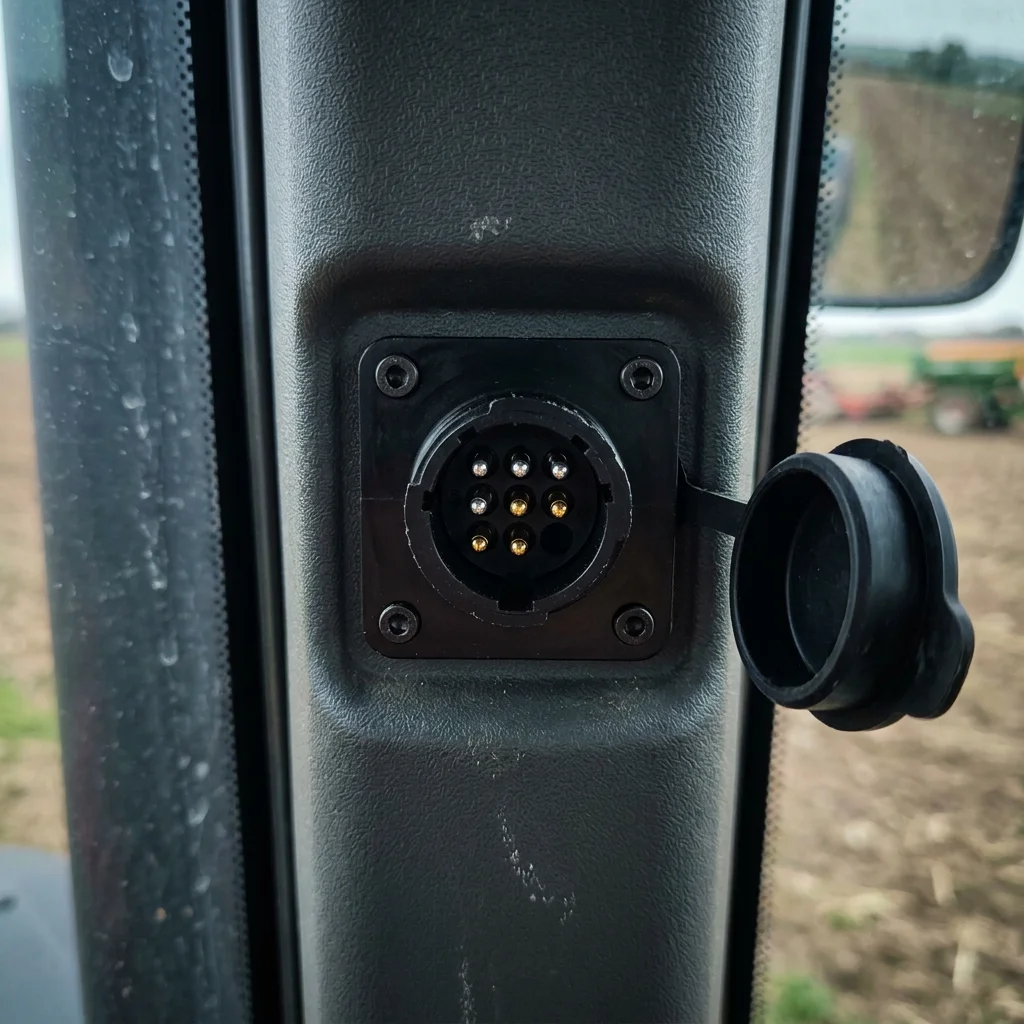
The ISOBUS in-cab connector is the 9-pin socket inside the tractor cab, typically on the right side of the operator's seat. Aftermarket displays, relay modules, and diagnostic tools plug in here. This page is a quick reference for its pinout.
For the full pinout reference covering both the in-cab and rear external connectors, with CAN bus wiring, termination, and troubleshooting, see the canonical ISOBUS Connector Pinout Guide.
In-Cab Pinout at a Glance
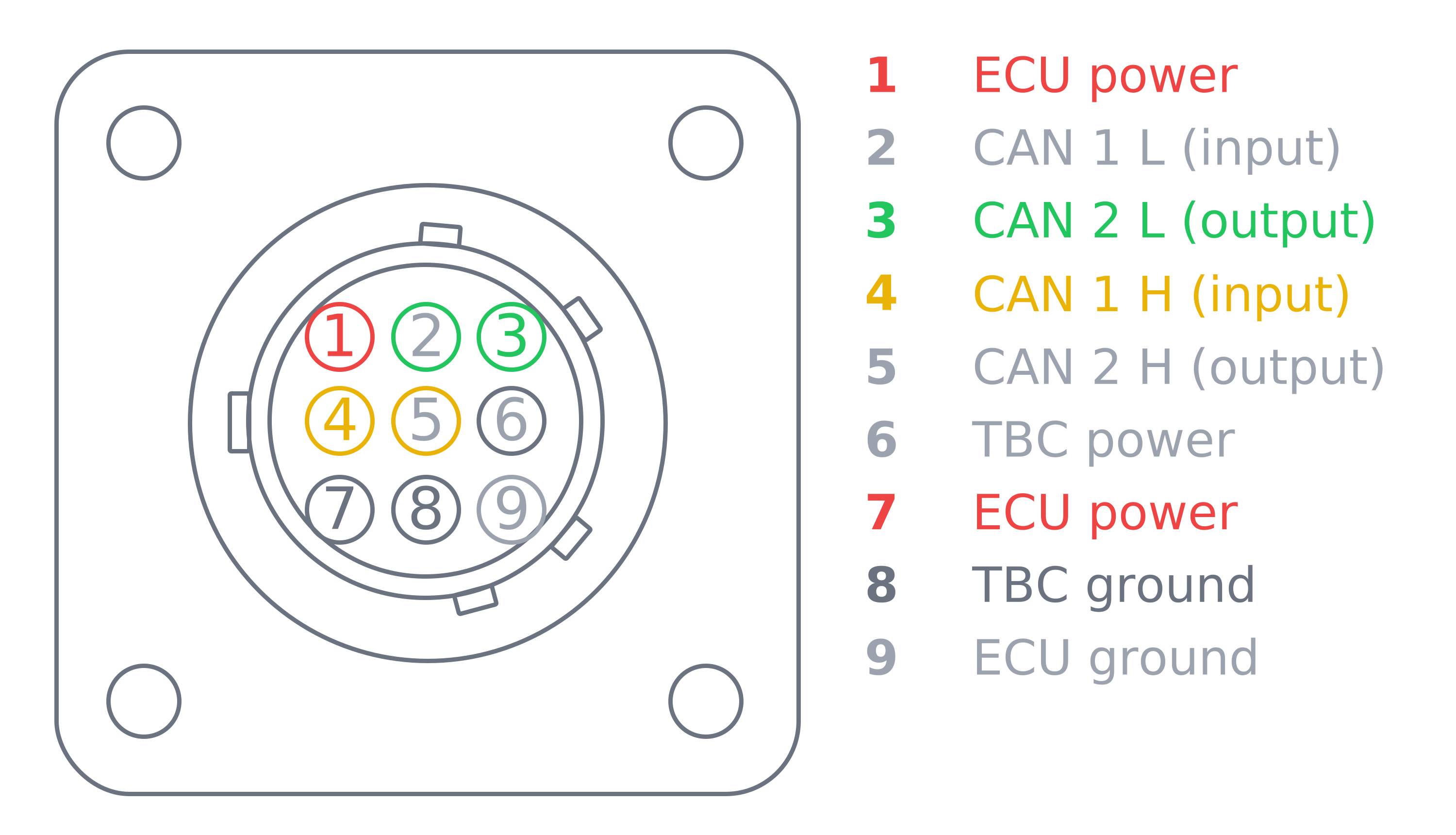
| Pin | Signal | Function |
|---|---|---|
| 2 | CAN_L | CAN low |
| 4 | CAN_H | CAN high |
| 7 | BAT+ | Power supply (12 V or 24 V) |
| 9 | GND | Ground |
These are the four pins ISOBUS Block connects to on the in-cab socket. The remaining pins carry the second CAN bus (pins 3 and 5), ECU power on pin 1 and the TBC (terminator) supply and ground (pins 6 and 8), and are not used by the module.
What Makes the In-Cab Connector Different
Two things set the in-cab socket apart from the rear external connector:
- Two CAN buses instead of one. CAN 1 (pin 2 = CAN_L, pin 4 = CAN_H) is the tractor's internal bus, where the Virtual Terminal, instrument cluster, and tractor ECUs all sit. CAN 2 routes outward to downstream devices.
- Different power and ground layout. On the in-cab socket the module takes power on pin 7 (BAT+) and ground on pin 9. The rear external connector uses a different layout, so the two sockets are not interchangeable. Use a cable wired for the one you're plugging into.
Most aftermarket devices (relay modules, additional displays, diagnostic tools) connect to CAN 1. CAN 2 exists for daisy-chaining or routing data to implements, but most cab-mounted devices only need CAN 1.
For the side-by-side comparison and full power distribution detail, see the ISOBUS Connector Pinout Guide.
Connecting Aftermarket Devices
The in-cab socket is the cleanest entry point for ISOBUS devices mounted inside the cab. No cables routed through door seals or window edges. ISOBUS Block plugs in here with a standard 9-pin ISOBUS cable, communicates on CAN 1, and shows up on the Virtual Terminal automatically. For the AUX-N joystick-binding workflow once the module is connected, see ISOBUS AUX-N: Complete Guide. If you need to source the plug and contacts for the in-cab socket, see the ISOBUS plug and connector guide.
Frequently Asked Questions
What is the ISOBUS in-cab connector used for?
It's the connection point inside the tractor cab for aftermarket ISOBUS devices: additional displays, relay modules, diagnostic tools, and precision-ag controllers. It puts them directly on the tractor's internal ISOBUS network.
Why does the in-cab connector have two CAN buses?
CAN 1 is the input. It ties into the tractor's internal bus. CAN 2 is the output. It routes to externally connected devices. The connector acts as a gateway between the internal network and cab-mounted devices.
Where is the in-cab connector located?
Right side of the operator's seat, near the armrest or B-pillar. Female 9-pin circular socket, usually with a protective dust cap. Location is standardized under ISO 11783-2.
For the full pinout reference covering rear external and in-cab connectors, CAN bus signals, termination, and wiring best practices, see the ISOBUS Connector Pinout Guide.
Want to add 8 relay outputs through the in-cab connector? ISOBUS Block plugs in, registers on the Virtual Terminal, and lets you assign each channel to a joystick or screen button.