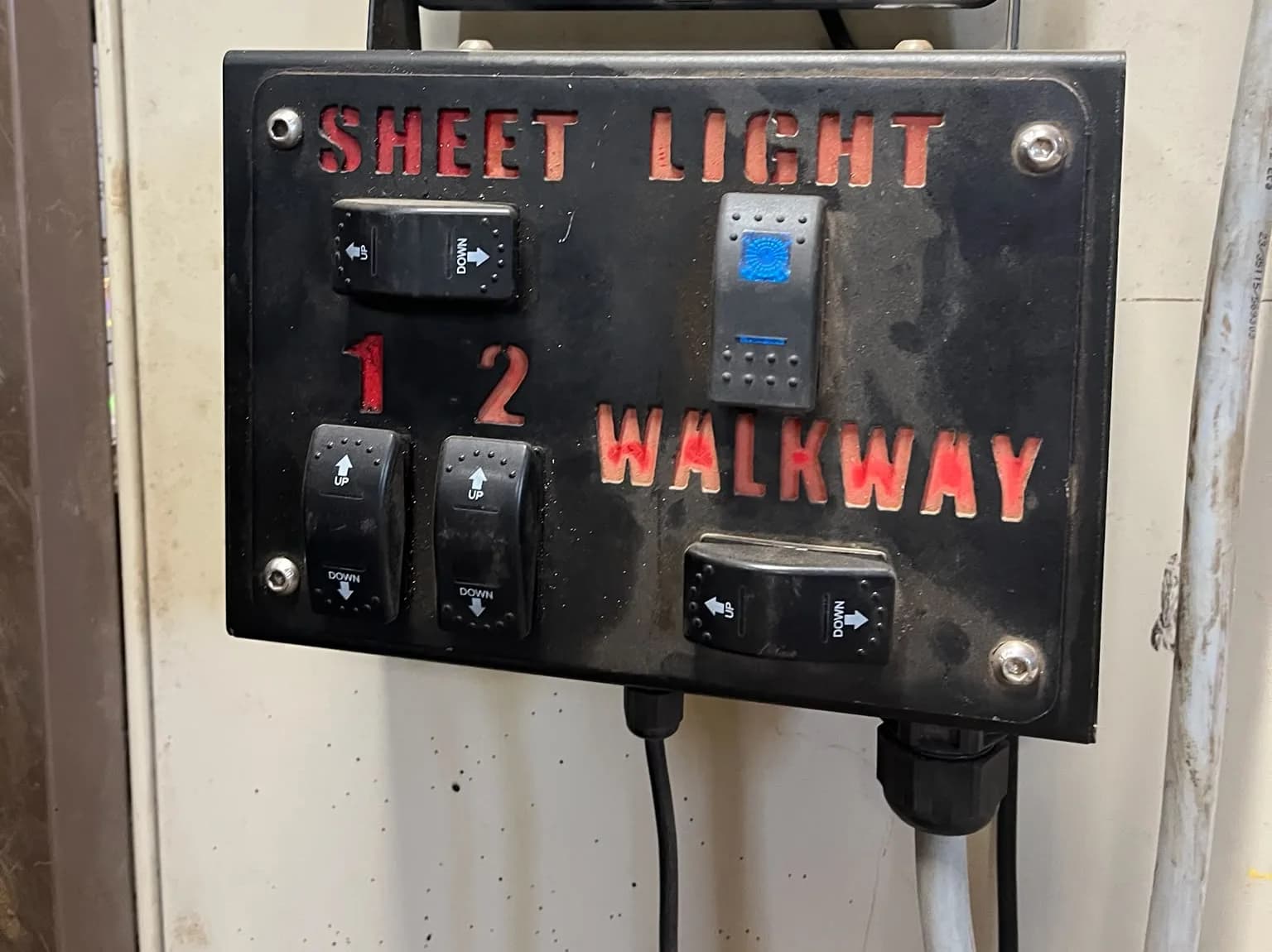
The job: switch work lights, solenoid valves, a diverter valve, a beacon or a small motor on and off, from the tractor's own screen and joystick buttons. The loads can sit on an implement or on the tractor itself. This post compares the ISOBUS Block alternatives for that job: a cab-mounted switch box, a DIY relay box, and a relay module that speaks ISOBUS.
Two terms first. The Virtual Terminal (VT) is the tractor's ISOBUS screen. AUX-N is the part of ISOBUS that puts an implement's functions on the tractor's joystick and armrest buttons. Each option below is judged on whether it reaches those two.
1. A cab-mounted switch box
A plastic panel with 1 to 8 toggles, screwed to the dash or the A-pillar, with one multi-core cable out through the back window to the implement. Flip a toggle and current runs down one core to one load.
Where it wins. It needs no ISOBUS at all. Any tractor with a power supply runs it. Parts cost little, a dealer's parts counter stocks them, and every fault can be found with a test lamp. You size the toggles, or the relays behind them, to the load, so a heavy motor is no problem.
Where it loses. The operator takes a hand off the joystick to reach it. Nothing appears on the tractor screen. The labels are whatever you engrave or tape on. The cable goes through a hole in the cab, and the panel belongs to that one cab, so a second tractor means moving the panel and the loom or building another.
Who it suits. Tractors with no ISOBUS socket or no VT. One or two functions on a machine that never changes tractor. The cab switch box post covers what that panel is and when to leave it alone.
2. A DIY relay box on the tractor's supply
The same idea with heavier switching: automotive relays or a fused relay board fed from the tractor's supply, with the coils switched by toggles or push buttons you mount in the cab.
Where it wins. The parts cost less than an ISOBUS relay module, by a wide margin. It needs no ISOBUS. You pick the relays, so loads above 10 A are covered too.
Where it loses. It is still a switch panel in the cab. A plain relay board cannot talk on the bus, so it never shows on the VT and cannot be put on a joystick button. There are no names on the screen, the labour is yours, and moving it to another tractor means moving the panel and the wiring with it.
Who it suits. People who enjoy the build, on tractors without ISOBUS, or where one machine stays behind one tractor. The line-by-line cost comparison is in ISOBUS Block vs a DIY relay box.
3. An ISOBUS relay module: ISOBUS Block
A relay module that joins the tractor's ISOBUS network as its own node. ISOBUS Block has 8 relay channels at 10 A each, with NO, COM and NC screw terminals per channel. A 32-channel module is also available. You wire your loads to the terminals, plug the module into the tractor's ISOBUS socket, and set it up on the screen.
Where it wins.
- Screen and joystick. The buttons appear on the tractor's VT. Assign any of them to a joystick trigger or an armrest button through the tractor's own AUX-N menu, and the relay switches from the button your hand is already on.
- 10 A per channel. Enough for work lights, solenoid coils, beacons and small motors without a second relay.
- Named buttons. Each button gets a name and an icon, typed on the VT. The same name and icon show in the AUX-N assignment menu, so you assign
DIVERTERto a button rather than guessing whichCHthat was. - Grouped outputs and modes. One button can switch several channels at once. Each button runs as
TOG(latching) orMOM(momentary), set on the screen. - Presets. Save a layout per machine or per job and switch between them from the screen.
- One cable. The module takes its power and CAN over the ISOBUS connection. No panel in the cab and no multi-core cable through the back window.
- Moves between tractors. Unplug, plug into the next ISOBUS tractor, and the names and icons come back. AUX-N buttons are assigned once per tractor.
- No programming. Everything is set up on the VT. No laptop, no software.
- Inputs on the 8-channel module. It has 8 isolated digital inputs, 5-36 V, for dry contact, NPN or PNP sensors and switches. With the AUTO feature, a sensor or switch can drive the relays automatically, armed from the tractor screen or a joystick button. Manual control always overrides: touch the joystick and the machine drops back to manual, and automation never resumes on its own.
Where it loses. The outputs are on/off relays, so there is no proportional control. It has no Task Controller client, so no documentation, no map-driven rates and no section control. The bare module is IP20 in a DIN-rail housing, so it goes in the cab or inside your own weatherproof enclosure on the implement. And the connector kits ship the ISOBUS connector with loose contacts that you crimp yourself.
Who it suits. Owners, contractors and workshops who want switched outputs on the tractor screen and joystick, on any ISOBUS tractor with a VT, without writing software.
When the job is a different job
Some machines need more than switched outputs. If the implement needs Task Controller documentation, map-driven application rates, section control by GPS, proportional valves or sensor readouts on the screen, that is an implement ECU with its own software. It is a development project, and no part you bolt on covers it. The ISOBUS ECU for implements post explains what that involves. ETERVO Oy, the company behind ISOBUS Block, does that work for manufacturers: see ISOBUS for OEMs.
ISOBUS Block alternatives compared
| Option | Control from tractor screen (VT) | Joystick buttons (AUX-N) | Named buttons on screen | Outputs and current | Moves between tractors | Needs ISOBUS on the tractor | Weatherproof as delivered |
|---|---|---|---|---|---|---|---|
| Cab switch box | No | No | No, labels on the panel | 1 to 8 toggles, current set by the parts you choose | Panel and loom move with it, or build another | No | Built for inside the cab |
| DIY relay box | No | No | No, labels on the panel | Your choice of relays, any current they are rated for | Panel and wiring move with it, or build another | No | Your box, your rating |
| ISOBUS Block | Yes | Yes | Yes, name and icon per button, also in the AUX-N menu | 8 relay channels (32 on the larger module), 10 A each | Yes, unplug and plug into the next ISOBUS tractor | Yes, with a VT | No. IP20 bare module, needs your enclosure outdoors |
Which one, in one line each
- Cab switch box: a tractor without ISOBUS, and a few functions that never change tractor.
- DIY relay box: the lowest parts cost, if you enjoy the build and accept a panel in the cab.
- ISOBUS Block: on/off loads up to 10 A on the tractor screen and joystick, on any ISOBUS tractor, with no programming.
Frequently asked questions
Can I add outputs to an ISOBUS tractor without an ECU?
Yes. A relay module that speaks ISOBUS adds switched outputs without an implement ECU or any software work. It joins the bus as its own node and shows up on the tractor screen. A switch box also adds outputs, but it bypasses ISOBUS entirely, so nothing appears on the screen or the joystick.
Do I need Task Controller for work lights and valves?
No. Task Controller is for documentation, prescription rates and automatic section control. Switching a work light or a solenoid valve from a button needs only the VT and AUX-N. The section control post explains where Task Controller comes in.
Is a relay module weatherproof?
ISOBUS Block is not, as delivered. The bare module is IP20, for the cab, a panel, or your own weatherproof enclosure on the implement. A DIY relay box is exactly as weatherproof as the box you put it in.
Which is cheaper, a switch box or an ISOBUS relay module?
The switch box, on parts. Toggles, relays and cable are commodity items. The module buys what the box cannot: the tractor's own screen and joystick buttons, named buttons, no cable through the cab, and one unit that moves to any ISOBUS tractor without rebuilding the cab side.
Need an ISOBUS relay module for controlling solenoids, work lights, or hydraulic valves? ISOBUS Block provides 8 relay outputs controlled directly from your tractor's Virtual Terminal display.