An ISOBUS auxiliary device is one half of AUX-N: either the device that supplies the buttons, or the device that supplies the functions those buttons trigger. Which half you mean changes what you need to buy, so this post separates the two and shows where an auxiliary output module fits.
Auxiliary control is defined in ISO 11783-6, the same part of the standard that covers the Virtual Terminal.
What an ISOBUS Auxiliary Device Is
Three parties are involved every time you press a joystick button and something moves on the implement. The tractor usually supplies the first and the third, and the implement or module supplies the second.
| Role | What it does | Typical examples |
|---|---|---|
| Auxiliary input device | Publishes its physical controls to the bus as assignable inputs | Tractor armrest joystick, armrest button panel, thumbwheel, add-on ISOBUS button panel |
| Auxiliary function provider | Publishes a list of named functions that a control can be bound to | Implement ECU, relay output module |
| Virtual Terminal | Runs the assignment screen and stores the finished assignments | The tractor's in-cab screen |
Nothing is hard-wired between them. The joystick does not know what it will control, and the implement does not know which button it will end up on. The operator decides, once, on the assignment screen, and the tractor remembers it against that implement's unique identifier.
That is the whole point of AUX-N. The same joystick trigger can fold a boom on Monday and open a diverter valve on Tuesday, depending on what is plugged in and what you assigned.
Auxiliary Input Devices: Where the Buttons Come From
When people search for an "ISOBUS auxiliary device", they usually mean this half: a joystick.
Most modern tractors already are one. A full ISOBUS armrest publishes its joystick triggers, rocker switches, thumbwheels and panel buttons as AUX-N inputs, and the tractor's own screen lists them when you make an assignment. Tractors built after roughly 2012 to 2015 with a full ISOBUS armrest support AUX-N; older or entry-level machines may only offer AUX-O or no auxiliary assignment at all.
You can also add an input device. Aftermarket ISOBUS joysticks and button panels exist whose only job is to publish extra controls onto the bus, for operators who have run out of armrest buttons.
Inputs fall into three families: boolean (a button, on or off), analog (a thumbwheel, 0 to 100 percent) and bidirectional (a joystick axis with two opposing directions). The standard subdivides these further, latching and momentary among them, but those three are what you deal with in the cab. The assignment screen only offers inputs whose type fits the function you selected, which is why a two-direction joystick axis is offered for a two-direction function and not for a plain on/off one.
Auxiliary Functions: What the Implement Publishes
The other half is the function provider. An implement ECU that wants to be controlled from the armrest publishes a list of AUX-N functions when it loads its interface onto the Virtual Terminal. Each function carries a name, an icon and a type.
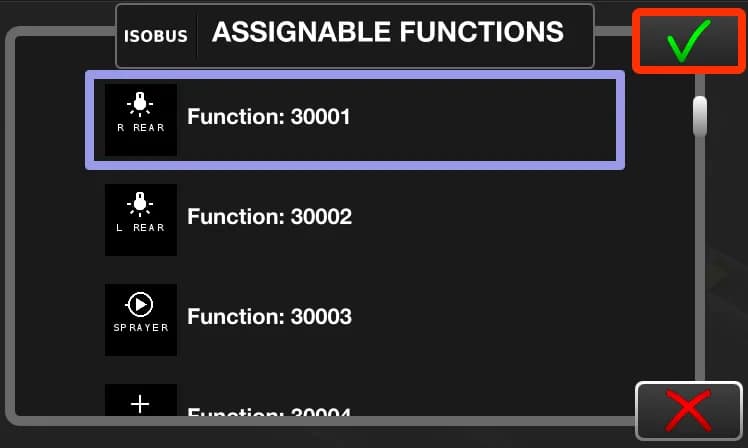
That list is what the screenshot at the top of this post shows: the tractor's assignable-functions menu, with the functions an ISOBUS Block is publishing. Each row carries the icon and name the operator set, next to the terminal's own function number.
The implement does not get the final say on which button it lands on. It can propose the layout it used last time with that joystick through preferred assignments, and some tractors offer to apply it on connection, but the operator's choice on the assignment screen wins. The step-by-step procedure for making the binding, clearing an old one, or working out why a button does nothing is in the ISOBUS AUX-N complete guide. For how the VT and the object pool underneath all this work, see Virtual Terminal explained.
Where an Auxiliary Output Module Fits
"Auxiliary output module" is not a term from the standard. It is what people call the box at the far end of the chain: something that takes an ISOBUS command and turns it into a switched electrical output. In practice that means a relay module.
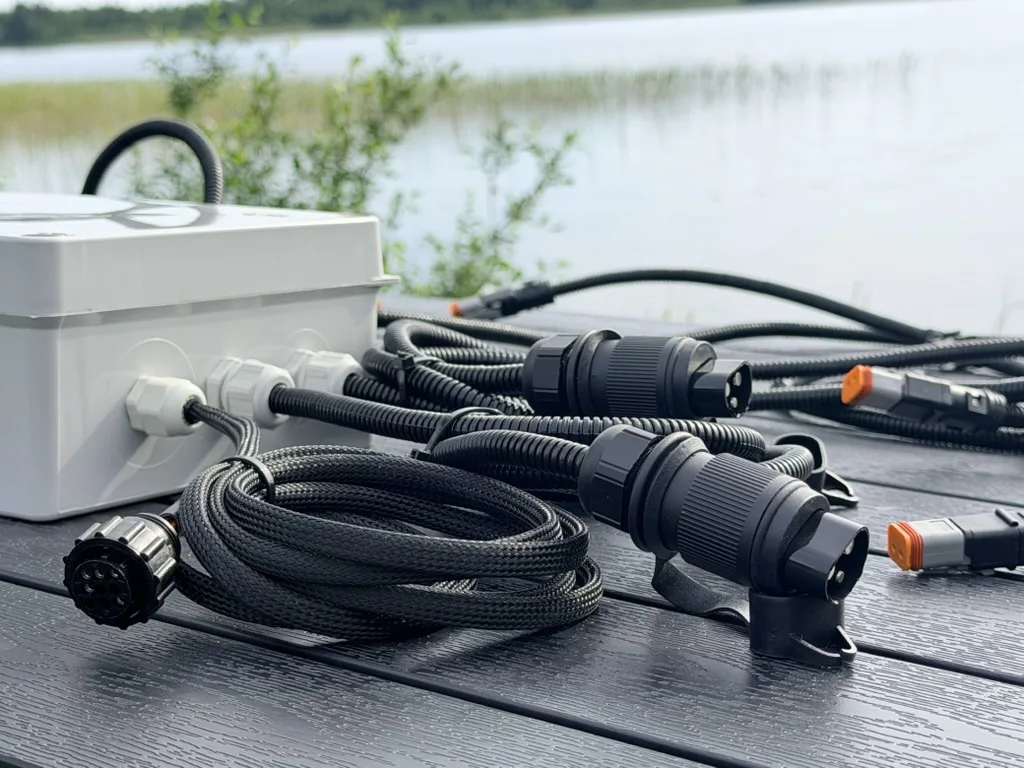
ISOBUS Block is exactly that. It joins the bus as its own working set, uploads its interface to the tractor's Virtual Terminal, and publishes named AUX-N functions. Each button function switches one or more relay channels.
The 8-channel module publishes 18 AUX-N functions: 8 button functions, one for each of the module's eight on-screen buttons, 8 Arm Auto functions, one per AUTO tile, STOP, and a preset quick-change function. The 32-channel module has no digital inputs, so it has no Arm Auto functions and publishes 34: 32 button functions plus STOP and preset quick-change. The AUX-N complete guide lists all 18 by name.
Names and icons, not channel numbers
Every button on the module has a name of up to 8 characters and an icon, both set by the operator on the Virtual Terminal, under the EDIT soft key. The name and icon appear in two places at once: on the module's own page on the tractor screen, and in the tractor's AUX-N assignment menu.
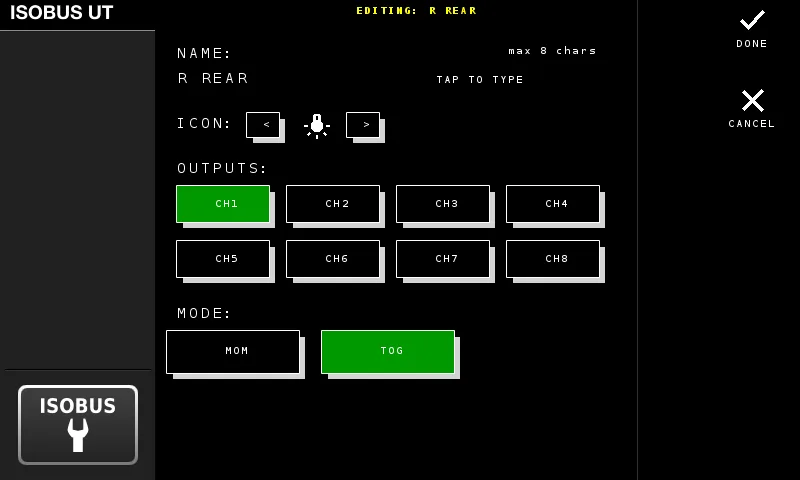
So you rename a button DIVERTER, pick a valve icon, and that is the tile you look for in the assignment list. Terminals label the rows with the raw function number (Function: 30001 and up in the screenshot at the top), so the name and icon on the tile are what you actually navigate by. You bind DIVERTER to a joystick trigger, not CH3. On a machine with eight functions assigned across an armrest, that is the difference between a usable layout and a guessing game.
Two more things are set per button on the same screen. First, which relay channels it switches: one button can drive several at once, so a single press opens a valve and lights a work light together. Second, whether it behaves as TOG or MOM. All of this is done on the terminal. The module's WiFi interface handles diagnostics, output testing and firmware, and cannot assign or rename anything.
What You Wire to a Relay Channel
A relay channel is a volt-free contact set with NO, COM and NC terminals, rated 10 A at 250 V AC or 30 V DC. What you wire to it is your call:
- A diverter valve solenoid, to add a third function to a front loader.
- Work lights and beacons. That is the easiest first install and the one most people start with.
- Section solenoids on a sprayer boom you want to switch by hand.
- The loads currently fed by the toggle panel screwed to your cab post. Moving them across is what replacing a switch box with armrest buttons comes down to.
- Any other 12 V or 24 V load, wired the same way as any other device.
What It Will Not Do
An auxiliary output module is a switch, not a controller. Worth knowing before you order one:
- It switches relays, not oil. The chain is: button press, relay closes, solenoid valve opens, oil moves. The hoses and valves stay exactly as they are.
- It does not read a joystick axis proportionally. The channel functions are boolean, so a relay is either closed or open. There is nothing to modulate.
- It is not a Task Controller client. It speaks VT and AUX-N. No TC-BAS, no TC-GEO, no section control from a task file. It does what the operator's button says, when the button says it.
- The bare module is IP20. DIN-rail ABS housing, indoor, in-cab or panel mount. Outdoors it needs a weatherproof box you supply.
- AUTO is armed, not automatic. The digital inputs on the 8-channel module can drive outputs from a sensor, but the operator arms each tile deliberately, and touching a manual control that shares those outputs drops it back to manual. It is not a safety function and it is not a substitute for a mechanical end stop.
Frequently Asked Questions
What is an ISOBUS auxiliary device?
It is a device that takes part in AUX-N, the auxiliary control feature of ISO 11783-6. There are two kinds. An auxiliary input device publishes physical controls (joystick triggers, armrest buttons, thumbwheels) to the bus. An auxiliary function provider, normally an implement ECU, publishes named functions those controls can be bound to. Most people using the phrase mean the first one: a joystick.
What is an auxiliary output module?
An auxiliary output module is a box that turns ISOBUS commands into switched electrical outputs, which in practice means a relay module. The term does not come from the standard, so it has no fixed definition. If you are looking for one, what you want is a module that publishes AUX-N functions and drives relay channels, so a joystick button switches a solenoid, a work light or a beacon.
Do I need a special joystick to use AUX-N?
Usually not. If your tractor has a full ISOBUS armrest from the last decade or so, it already publishes its own buttons as AUX-N inputs and no extra hardware is needed. Add-on ISOBUS button panels exist for operators who have run out of armrest buttons. They do not rescue a tractor with no AUX-N support: the assignment happens on the Virtual Terminal, so that machine needs an aftermarket terminal too. Check your tractor's specification before buying anything.
Is an ISOBUS relay module the same as an auxiliary output module?
In everyday use, yes. A relay module that publishes AUX-N functions is what people mean when they say auxiliary output module: ISOBUS in, switched outputs out. ISOBUS Block publishes 18 AUX-N functions on the 8-channel version and switches up to 10 A per channel.
Can one button control more than one output?
Yes. On ISOBUS Block, each button is configured on the Virtual Terminal with the list of relay channels it switches, so one button can drive several channels together. One press, one AUX-N binding, several outputs. You also set that button to TOG or MOM on the same terminal screen, and it behaves the same way whether pressed on the screen or on the assigned armrest button.
How much does an ISOBUS auxiliary output module cost?
See the current price on the shop page. The 8-channel module is the bare DIN-rail unit. Connector kits are optional add-ons at checkout. You supply the load wiring and, for outdoor mounting, the enclosure.
Need an ISOBUS auxiliary output module for switching solenoids, work lights or diverter valves? ISOBUS Block is an 8-channel relay module (10 A per channel) that publishes 18 AUX-N functions. You set the name and icon for every button, and control them from your tractor's Virtual Terminal and armrest buttons.