A front mower and a rear mower. A front tank and a rear drill. Plenty of work now runs with two ISOBUS implements on the tractor at the same time, and the tractor has one terminal to run both. It works, once you know how the terminal handles two implements, where each one plugs in, and what happens to your joystick buttons.
What the tractor sees with two ISOBUS implements
Every ISOBUS implement shows up on the bus as its own working set (glossary), with its own screens, soft keys and alarms.
With two implements connected, the terminal holds two working sets. On a single screen it shows one at a time, and you switch between them with the working set selector, usually a row of implement icons or a menu key. Switching only changes what you see. The other implement keeps running, and its alarms can still pop up. More in the Virtual Terminal guide.
Tractors with two displays can often show one implement on each.
The front ISOBUS socket
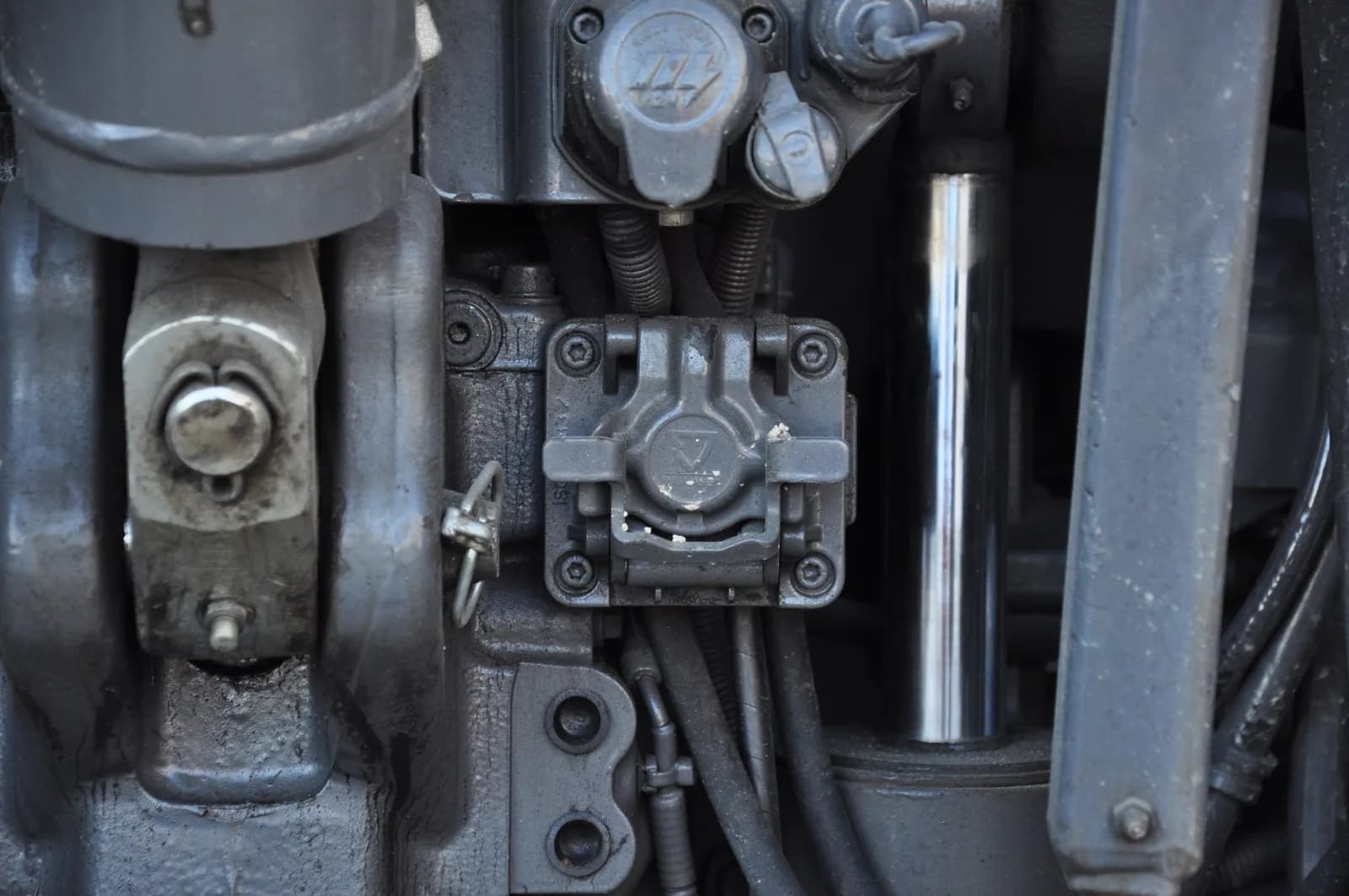
A front socket is an external ISOBUS connector at the front of the tractor, the same 9-pin design as the rear one. Where it is fitted, it is the intended way to connect a front mower, a front tank or a front press. The ISOBUS plug and connector guide shows the connector.
Not every ISOBUS tractor has one. Without it, the front implement needs its own cable to the rear socket or a Y-cable, covered below.
The empty front socket and termination
A front socket is also a possible end of the bus, and a CAN bus needs exactly two terminators, one at each end. On some setups an empty front socket takes a terminator plug. The ISOBUS terminator (TBC) explained covers the plugs and the 60 ohm check.
One front plus one rear: the common limit
Many terminals are built around one implement on the front socket and one on the rear. If the terminal manual gives a number of implements it will run at once, trust that number, not the number of plugs you can find.
AUX-N with two implements
AUX-N puts implement functions on the tractor's joystick and armrest buttons. Assignments are stored per implement: one set for the front mower, a separate set for the rear mower. They stay active when you switch the screen, so you can run the rear mower from the joystick while the front mower's screen is showing.
When both implements want the same button
Assign button 3 to the front mower's side guard and also to the rear mower's lift, and one press can reach both. How a terminal handles a button already in use differs between terminals. Do not assume it will stop you.
- Split the buttons. Front implement on one group, rear implement on another.
- Check after an update. A software update on either implement or the terminal can clear stored assignments. Re-check both implements.
The AUX-N complete guide walks through assigning buttons step by step.
Two implements on one socket with a Y-cable
A Y-cable splits one ISOBUS socket into two, usually because the tractor has no front socket. It can work, but the socket was designed for one implement, and three things change.
- Shared ECU power. Both implements' control units now run from the ECU power pins of one socket. That supply was sized for one.
- Shared load supply. The socket's fused high-current supply now feeds both implements' loads. Two valve blocks and a set of work lights all go through the same fuse.
- The bus has a branch. Each implement brings a terminator for the far end of its own bus. On a Y, that can mean three terminators on one bus, or a long branch with none, depending on the cable.
Before you rely on a Y-cable, read the terminal manual for what it says about two implements on one socket. Then measure: key off, both implements connected, multimeter across CAN H and CAN L. About 60 ohms means two terminators. Well under 60 means too many. If the second implement makes the first one disappear, go back to one implement per socket.
An add-on module alongside the main implement
The second device does not have to be a big machine. A common case is a sprayer or a baler plus an add-on that switches a few extra loads. ISOBUS Block is one: a relay module that speaks VT and AUX-N and plugs into the tractor's in-cab or external ISOBUS socket. On the terminal it appears as its own working set next to the sprayer or baler. You switch between the two on the terminal, and each keeps its own screens.
Its relay channels, CH1 to CH8, go on joystick or armrest buttons the main implement does not use. The baler keeps its functions, and a free button switches the work lights or a diverter valve. Button names and icons you set from the terminal also show up in the AUX-N assignment menu, so you are picking LIGHTS or DIVERTER, not an unlabelled channel.
Where you plug it in matters. On the in-cab socket, the external sockets stay free for the implements. On an external socket, it takes that socket, and sharing it brings back the Y-cable questions.
Decision table
| Setup | Works? | Watch out for |
|---|---|---|
| Front implement on the front socket, rear implement on the rear socket | Yes, on tractors with a front socket | Switching screens, AUX-N buttons claimed by both, termination of the front socket when empty |
| Two implements on one socket through a Y-cable | Sometimes | Shared ECU power, shared fused load supply, wrong number of terminators. Read the terminal manual, measure 60 ohms |
| Relay module on the in-cab socket, implement on the rear socket | Yes | Keep the module's functions on free buttons |
| Relay module and implement sharing one external socket | Sometimes | Same as any Y-cable |
Frequently asked questions
Can I run two ISOBUS implements at the same time?
Yes, on many tractors: one on the front socket and one on the rear. The terminal shows one at a time and you switch between them. AUX-N buttons stay active for both.
Does my tractor need a front ISOBUS socket?
For a front implement, a front socket is the intended connection. Without one, you need a cable back to the rear socket or a Y-cable, which brings power and termination questions.
Can I use a Y-cable to connect two ISOBUS implements?
Sometimes. Both implements then share one socket's ECU power and fused load supply, and the bus gets a branch that can end up with the wrong number of terminators. Check the terminal manual, then measure about 60 ohms between CAN H and CAN L with the key off.
Why does the second implement not show up on the terminal?
Check whether it is connected to its own socket, whether the terminal is still loading its object pool, and whether the bus reads about 60 ohms. On a Y-cable, if the second implement makes the first disappear, run one per socket. The not-working checklist goes through the rest.
Can two implements share AUX-N buttons?
Assigning the same button on both can make one press reach two machines, and terminals handle that differently. Keep each implement on its own group of buttons.
Need to add work lights, a diverter valve or solenoids next to your main implement? ISOBUS Block gives you 8 relay outputs as its own working set, switched from the tractor screen or free AUX-N buttons. Pinouts are on the docs page.