ISOBUS is the common name for ISO 11783, the standard that lets a tractor and an implement from different brands share one plug, one screen and one set of buttons. The name is a label rather than a strict acronym: ISO for the standards body, BUS for the data network. If you are new to the whole thing, start with what ISOBUS is and come back here when a spec sheet or a terminal menu throws an abbreviation at you.
The terms come from ISO 11783 itself, the SAE J1939 truck standard ISOBUS is built on, and the functionality names on spec sheets. Where we have a full post on a term, the entry links to it.
ISOBUS glossary: A to C
Address claim
The first thing a device does when it powers up on the bus. It announces the address it wants to use (0 to 253) along with its NAME. If two devices want the same address, the NAME decides which one keeps it.
AUX-N (Auxiliary control, new)
The way ISOBUS puts implement functions on the tractor's own joystick and armrest buttons. The implement publishes a list of functions, you pair each one with a button in the terminal's AUX-N menu, and the tractor remembers the pairing. Most tractors built after 2012 to 2015 with a full ISOBUS armrest support it. Step by step in the AUX-N complete guide.
AUX-O (Auxiliary control, old)
The older button-assignment scheme that AUX-N replaced. It is harder to reassign and does not work with AUX-N. You still find it on older machines.
Auxiliary input / auxiliary function
The two halves of an AUX-N pairing. An auxiliary input is a physical control the tractor or a separate input device offers: a joystick trigger, a rocker, a button. An auxiliary function is something the implement can do: fold the boom, open a valve. Assignment connects one to the other.
Breakaway connector (IBBC, rear 9-pin)
The round 9-pin socket at the rear of the tractor where the implement plugs in. The standard calls it the Implement Bus Breakaway Connector, because it is designed to release cleanly if the implement separates from the tractor. Some tractors have a front one too. Pin by pin in the ISOBUS connector pinout guide.
CAN bus
Controller Area Network: the two-wire data bus (CAN_H and CAN_L) that ISOBUS messages travel on. ISOBUS runs it at 250 kbit/s and adds the agricultural rules on top. How the layers differ is in ISOBUS vs CAN bus vs J1939.
D to H
DDI (Data Dictionary Identifier)
A number that names one piece of process data, such as an application rate, a working width or a total area. The DDIs are listed in the ISOBUS data dictionary (ISO 11783-11), so a Task Controller and an implement from different makers agree on what each value means.
DDOP (Device Description Object Pool)
The implement's description of itself for the Task Controller: its parts (boom, sections, bins), where they sit, and which DDIs each part can report or accept. It plays the same role for the Task Controller that the object pool plays for the terminal.
ECU (Electronic Control Unit, implement ECU, job computer)
The box of electronics that talks on the bus. On an implement it is often called the job computer: it runs the machine, drives the valves and motors, and sends the operator screens to the terminal. More in ISOBUS ECU for implements.
File Server
A storage function on the tractor side (ISO 11783-13) that implements and other devices can read from and write to over the bus.
HSI (High-Speed ISOBUS)
A faster network being developed alongside the existing CAN bus, for data that 250 kbit/s cannot carry, such as camera images and large maps. It is not in general use yet.
I to N
In-cab connector
The 9-pin ISOBUS socket inside the cab, usually to the right of the seat, often called the LBS socket after the German standard that came before ISOBUS. It carries two CAN buses and is used for extra terminals, diagnostic tools and cab-mounted modules. Its pin layout differs from the rear connector: see the in-cab connector pinout.
ISB (ISOBUS Shortcut Button)
A button in the cab that sends one command over the bus: implements that support it stop their current process. It is not an emergency stop. It does not cut power, and an implement that does not support ISB ignores it.
ISO 11783
The international standard behind ISOBUS, published in several parts. Each part covers one piece: connectors and wiring in part 2, network management in part 5, the Virtual Terminal in part 6, the tractor ECU in part 9, the Task Controller in part 10, diagnostics in part 12. The ISO 11783 parts explained post goes through them one by one.
ISOXML
The file format for task data, defined in ISO 11783-10. Farm management software writes jobs, fields and prescription maps as ISOXML, the terminal's Task Controller runs them, and the recorded results go back the same way.
NAME
A 64-bit identity every device on the bus carries. It encodes who made the device, what kind of device it is and which instance it is. Address claim uses it to settle conflicts, and the terminal uses it to recognize an implement it has seen before.
O to S
Object pool
The package of screens, buttons, icons and values an implement uploads to the terminal. The terminal knows nothing about the implement in advance. It draws whatever the object pool describes, and usually caches it so the next connection is faster. Detail in the Virtual Terminal guide.
PGN (Parameter Group Number)
The number that tells a receiving device what kind of message it is looking at: wheel speed, a terminal command, a diagnostic report. PGNs come from J1939, and ISO 11783 adds its own for the agricultural messages.
Section control
Switching implement sections on and off automatically by GPS position, so a sprayer boom or a drill does not double-apply on ground already covered. It runs through the Task Controller (TC-SC) and needs support on both tractor and implement. Switching a section valve from a button by hand is manual switching, not section control. See ISOBUS section control explained.
SPN and FMI (Suspect Parameter Number, Failure Mode Identifier)
The two numbers in a fault code. The SPN says what is reporting the problem, the FMI says how it failed. SPN 168 FMI 1 reads as battery voltage, below normal range. How to read them in the ISOBUS fault codes guide.
T to W
Task Controller (TC-BAS, TC-SC, TC-GEO)
The part of ISOBUS that records work and controls the implement by position, usually built into the terminal. TC-BAS records job totals such as area and product used. TC-GEO adds position: as-applied maps and variable rate from prescription maps. TC-SC is section control. Spec sheets list the three separately, so check which ones a machine has. More in the ISOBUS Task Controller explained.
TBC (Terminating Bias Circuit)
The termination at each end of the ISOBUS CAN bus, which keeps the signal clean. Unlike a plain resistor, a TBC has its own power supply, which the rear connector carries on its TBC pins. With the power off you should measure about 60 ohm between CAN_H and CAN_L. More in the ISOBUS terminator explained.
TECU (Tractor ECU, classes 1 to 3)
The tractor's own voice on the bus. It broadcasts ground speed, wheel speed, PTO speed and hitch position, which a spreader or a drill uses to hold its rate. Class 1 sends the basics, class 2 adds more measurements and status data, and class 3 also accepts commands from the implement, for example to move the hitch. The tractor ECU classes explained post goes through each class.
TIM (Tractor Implement Management)
The implement asking the tractor to do something: change speed, lift the hitch, switch a hydraulic valve. It needs support on both machines and the operator's approval in the cab.
UT (Universal Terminal)
Another name for the Virtual Terminal. UT is the name you see on spec sheets and in ISOBUS conformance testing. The function is the same: the screen in the cab that shows the implement's controls. ISOBUS terminal solutions covers built-in and standalone terminals.
VT (Virtual Terminal)
The terminal as ISO 11783-6 names it: the tractor's armrest display or a separate cab screen. The implement uploads its object pool, the VT draws it, and you run the implement from the screen.
VT version
The version of the Virtual Terminal standard a terminal supports. Versions 3 to 6 are in the field. An implement's object pool built for a newer version than the terminal supports may not display everything correctly, which is why well-built implements carry a fallback for older terminals.
Working set
One implement as the terminal sees it: one or more ECUs acting as a unit, with one master that talks to the terminal. With several devices connected, each shows up as its own working set, and you switch between them on the terminal. ISOBUS Block, for example, appears as its own working set next to a sprayer's.
Numbers
250 kbit/s
The fixed speed of the ISOBUS CAN bus. There is no setting to change. A device set to a different CAN speed will not talk to an ISOBUS tractor at all, which is one of the first things a gateway has to deal with.
Frequently asked questions
What does ISOBUS stand for?
ISOBUS is the common name for ISO 11783, the international standard for communication between tractors and implements. It is a label, not a strict acronym: ISO for the standards organization and BUS for the data network.
What is the difference between VT and UT?
Nothing functional. VT (Virtual Terminal) is the name in the ISO 11783-6 standard. UT (Universal Terminal) is the name used on spec sheets and in conformance testing for the same screen.
What is the difference between AUX-N and AUX-O?
Both put implement functions on the tractor's buttons. AUX-O is the older scheme and is harder to reassign. AUX-N is the current one: the operator pairs any implement function with any compatible button in the terminal menu, and the tractor remembers it. The two do not work with each other, so check which one both machines support.
What is the difference between ISOBUS and CAN bus?
CAN bus is the wiring and signaling that carries messages. ISOBUS is built on top of CAN at 250 kbit/s and adds the agricultural rules: address claim, the Virtual Terminal, AUX-N, the Task Controller and the standard connectors. Every ISOBUS network is a CAN network, but not the other way round.
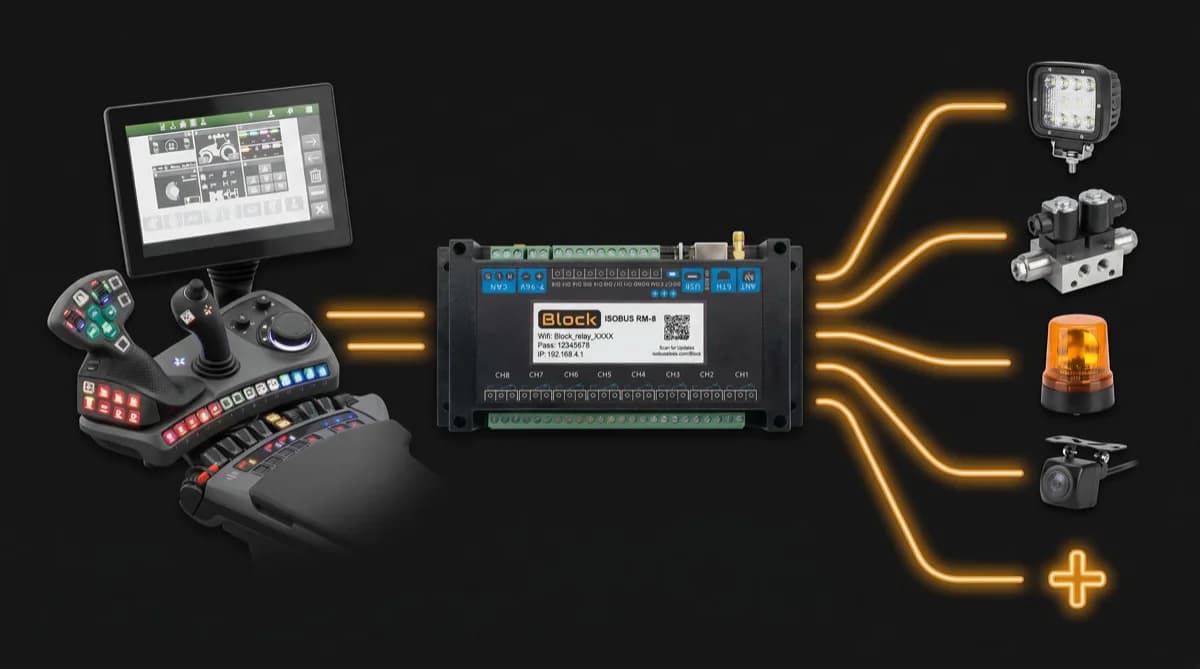
Need an ISOBUS relay module for controlling solenoids, work lights, or hydraulic valves? ISOBUS Block provides 8 relay outputs controlled directly from your tractor's Virtual Terminal display.