The ISOBUS tractor ECU class tells you what a tractor shares with the implement behind it. Class 1 sends the basics: speed, PTO and rear hitch. Class 2 sends more. Class 3 also takes orders from the implement, which is the ground floor for TIM, where a baler can stop the tractor on its own. If you are new to ISOBUS, this is the part that covers what the tractor tells the implement, rather than what the implement shows on your screen.
What the tractor ECU (TECU) is
The tractor ECU, or TECU, is the tractor's own node on the implement bus. ISO 11783-9 defines it (the 14 parts of the standard explained). It does two jobs:
- Reports the tractor's state. Wheel speed, PTO speed, hitch position and similar values go out on the bus, and any implement that needs them reads them.
- Handles implement power. It follows the key switch and keeps power on to the implement's electronics long enough for them to shut down cleanly.
The TECU is not the terminal. The terminal shows the implement's controls. The TECU is the tractor talking about itself.
The standard sorts TECUs into classes. Each class includes everything in the class below it.
ISOBUS Class 1, Class 2 and Class 3 compared
Class 1: the basics
A Class 1 TECU sends what most implements need to do their job:
- Wheel-based speed and distance, measured from the transmission or a wheel sensor
- Rear PTO speed
- Rear hitch position and whether the hitch is in work
- Power management: key switch state and power to the implement's electronics
A spreader holding its rate, or a drill that stops counting area when the hitch lifts, works from a Class 1 tractor.
Class 2: more measurements
Class 2 adds to that list. In general it covers:
- Ground-based speed and distance, from a radar or satellite receiver, which stays true when the wheels slip
- More status data about the tractor's systems
- Lighting messages, so the tractor can tell the implement which lights to switch (see the next section)
Class 3: the implement can send commands
Class 3 is the step that changes the direction of the conversation. The tractor still reports everything, and it also accepts commands from the implement, such as moving the rear hitch, switching the PTO or operating an auxiliary hydraulic valve. Class 3 is what makes TIM possible.
Where the ISOBUS speed signal comes from
An implement on ISOBUS reads speed from the TECU. It does not need its own sensor or a separate cable. There are two speed values, and they are not the same:
| Speed value | Source | Class | Weakness |
|---|---|---|---|
| Wheel-based speed | Transmission or wheel sensor | Class 1 | Reads high when the wheels slip |
| Ground-based speed | Radar or satellite receiver | Class 2 | Needs the sensor fitted on the tractor |
For a spreader or sprayer, ground-based speed gives the better rate. On a non-ISOBUS controller the same values come through the 7-pin signal socket instead. The tractor sockets guide shows which socket is which.
Lighting over ISOBUS
The tractor can send lighting commands to the implement over the bus: which road lights should be on, such as tail lights, indicators and brake lights. An ISOBUS implement that supports this switches its own road lights to follow the tractor. When both machines support it, the implement's road lights work without a 7-pin lighting plug.
Two things to know:
- Both sides need it. The tractor sends the commands only if its TECU supports lighting messages. The implement acts on them only if its ECU was built to. If either side lacks it, the 7-pin lighting plug stays in use.
- This is road lighting. Work lights on the implement are a different matter. They are usually switched separately, and many implements have no way to switch them from the cab at all.
That second point is where a relay module comes in. Wire the work lights to a relay channel, give the channel a button on the tractor screen, and assign that button to the armrest through AUX-N. The work lights installation guide walks through the wiring and the button setup.
TIM: when the implement drives the tractor
TIM stands for Tractor Implement Management. It is the industry name for an implement that sends commands to the tractor and has the tractor carry them out. It runs on top of Class 3.
The classic example is a round baler. When the bale is full, the baler asks the tractor to stop, ties and ejects the bale, and the operator drives on. Other implements use it to lift the hitch at the headland or to switch a hydraulic valve at a set point.
What TIM needs:
- Support on both machines. A TIM implement behind a tractor without TIM runs as a normal ISOBUS implement, with the operator doing those steps by hand.
- The operator's approval. TIM is switched on from the cab, and the operator stays in control. Touching the controls takes over from the implement.
TIM is not sequence control. Sequence control replays a headland routine you recorded. TIM is the implement giving the tractor an order.
How to find out what class your tractor is
The class is not printed on the tractor. Check in this order:
- The operator manual or spec sheet. Look under ISOBUS, TECU or implement data. It may list "TECU Class 2" or "ISOBUS Class 3".
- The terminal's info screen. Many terminals list the connected devices on the bus with their functions. The tractor's own TECU shows up there on some brands.
- Your dealer. They can read it from the tractor's configuration if the manual does not say.
Many older ISOBUS tractors are Class 1 or Class 2. That is enough for most implements. It matters when an implement needs ground-based speed, lighting messages or TIM. More on checking a tractor in the ISOBUS tractor compatibility guide.
What this means for add-on modules
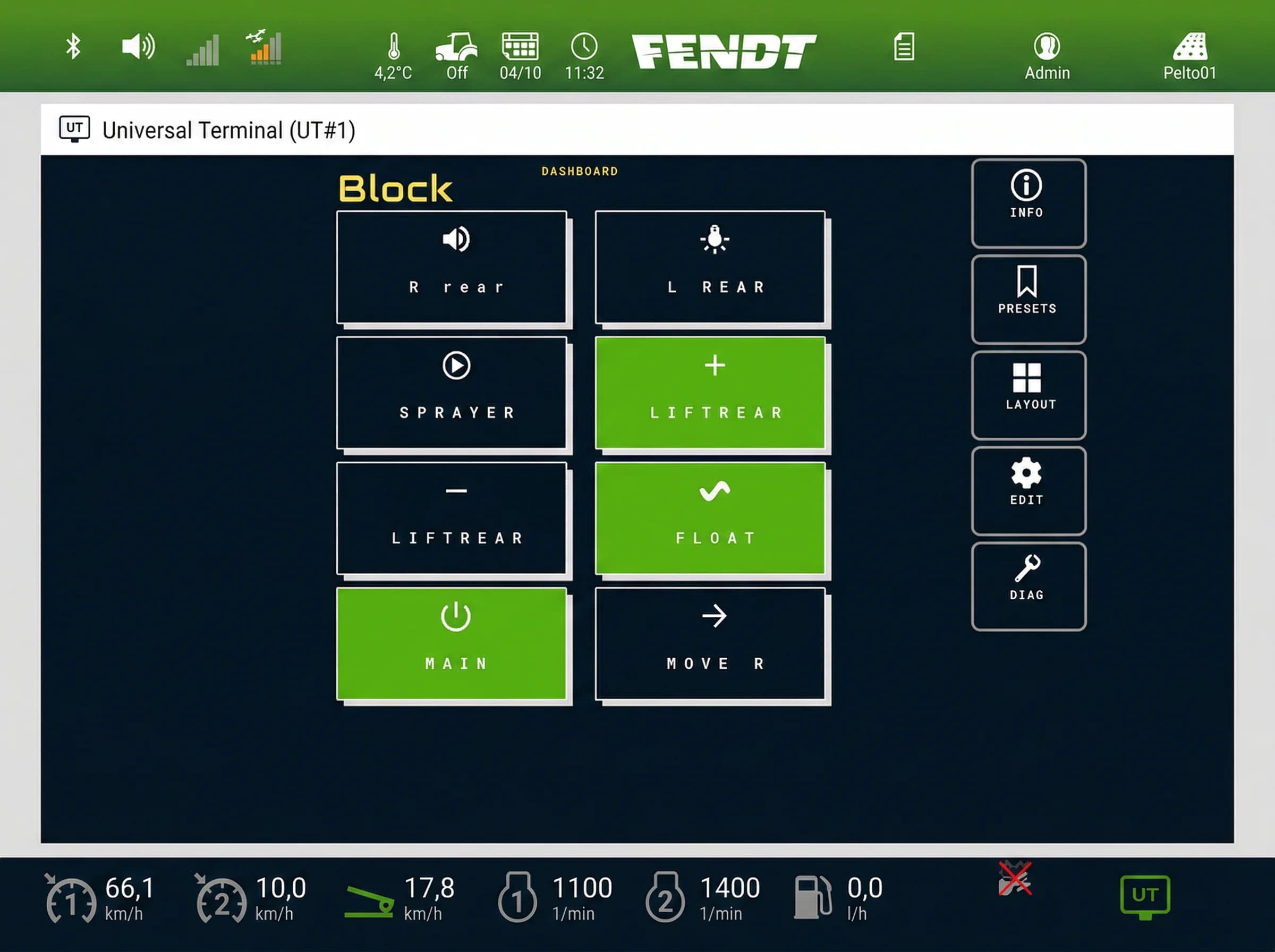
A device that works through the Virtual Terminal and AUX-N does not need any TECU class. ISOBUS Block is one of those. It needs three things from the tractor:
- An ISOBUS socket, in the cab or at the rear
- A terminal that shows its screen, where each button switches a relay channel,
CH1toCH8, inTOGorMOMmode - AUX-N support on the terminal, if you want those buttons on the joystick or armrest. Without it you switch from the screen. See the AUX-N complete guide.
It does not read speed or hitch position, and it does not take part in TIM. A Class 1 tractor runs it the same as a Class 3.
If you want the tractor's own worked area counter to run only while you are working, that is a different job: a relay channel can feed the counter's work-signal input. See how to trigger a worked area counter with ISOBUS Block.
ISOBUS tractor ECU classes at a glance
| Class | What the tractor sends | What the implement can do |
|---|---|---|
| Class 1 | Wheel speed and distance, rear PTO speed, rear hitch position, power management | Read speed, PTO and hitch to hold a rate or count area |
| Class 2 | All of Class 1, plus ground-based speed and distance, more status data, lighting messages | Use true ground speed, switch its road lights from the tractor's commands |
| Class 3 | All of Class 2, and accepts commands | Command hitch, PTO and auxiliary valves; the base for TIM |
Every term on this page is defined in the ISOBUS glossary.
Frequently asked questions
What is ISOBUS Class 3?
ISOBUS Class 3 is a tractor ECU that accepts commands from the implement, as well as sending tractor data. The implement can ask the tractor to move the hitch, switch the PTO or operate an auxiliary valve. It is the base that TIM builds on.
What is the difference between ISOBUS Class 1, 2 and 3?
Class 1 sends the basics: wheel speed, rear PTO speed, rear hitch position and power management. Class 2 adds ground-based speed, more status data and lighting messages. Class 3 adds the ability to take commands from the implement.
What is TIM in ISOBUS?
TIM (Tractor Implement Management) lets the implement control tractor functions, for example a baler stopping the tractor when the bale is full. It needs a Class 3 tractor, TIM support on both machines, and the operator switching it on in the cab. The operator can take over at any time.
Does my tractor need Class 3 for an ISOBUS implement?
No. Most ISOBUS implements run on any class, from the terminal and AUX-N buttons. Class 3 matters only for implements that want to command the tractor, such as TIM balers. Some implements need Class 2 for ground-based speed.
Can ISOBUS control implement lights?
Yes, for road lighting, if both the tractor and the implement support lighting messages. The tractor sends the lighting commands and the implement switches its road lights to match. Work lights are usually switched separately, for example from a relay module with a button on the tractor screen.
Where does the ISOBUS speed signal come from?
From the tractor ECU. Wheel-based speed comes from the transmission or a wheel sensor (Class 1). Ground-based speed comes from a radar or satellite receiver (Class 2). The implement reads either one over the ISOBUS connection.
Need an ISOBUS relay module for controlling solenoids, work lights, or hydraulic valves? ISOBUS Block provides 8 relay outputs controlled directly from your tractor's Virtual Terminal display.