In short: The ISOBUS Task Controller is the part of the system that records what an implement did and, with position, tells it what to do. It usually runs as software in the tractor's terminal. TC-BAS records totals, TC-GEO records and controls by position, TC-SC switches sections. Both the terminal and the implement have to support the same function, and jobs move to and from the farm office as ISOXML files.
The ISOBUS Task Controller is the documentation side of the standard. The Virtual Terminal shows you the implement. The Task Controller keeps the record: how many hectares, how much product, where it went. Here is what each function means on a spec sheet and how to check what your machines have.
What the ISOBUS Task Controller does
The Task Controller is defined in ISO 11783-10, the part of the standard that covers task management and data exchange with farm software. The ISO 11783 parts guide shows where it sits among the other 13 parts.
It is a function, not a box. On most tractors it runs inside the terminal, next to the Virtual Terminal. It has two jobs: record what the implement reports during a job, and control it by sending values back, such as a target rate or section on/off commands.
Task Controller vs Virtual Terminal
| Virtual Terminal (VT) | Task Controller (TC) | |
|---|---|---|
| What it does | Draws the implement's screens and buttons | Records work and sends set points |
| What the implement sends | Its object pool: screens, buttons, icons | Its device description: parts, geometry, loggable values |
| Standard | ISO 11783-6 | ISO 11783-10 |
A terminal can have a full VT and no Task Controller at all. The Virtual Terminal guide covers the VT side.
TC-BAS, TC-GEO and TC-SC in plain words
Spec sheets split the Task Controller into three functionalities. Each one is a separate yes or no, on the terminal and on the implement.
TC-BAS: totals
TC-BAS is the basic level. The implement keeps counters for things like area worked, product applied and working time. The Task Controller collects those totals and stores them against the task that is running. You get one line per field: hectares, product, hours. No map, and no GPS needed.
TC-GEO: by position
TC-GEO adds position. The Task Controller stamps logged values with where the machine was, so you get an as-applied map instead of a single total. It also works the other way: a prescription map goes in, and the Task Controller sends the implement a target rate that changes as you drive across the zones. That is variable rate application. It needs a GPS receiver feeding the Task Controller.
TC-SC: sections
TC-SC switches implement sections on and off from position, so a sprayer or drill does not apply twice on ground already covered. It is a separate function from TC-GEO, needs GPS and support on both ends, and is covered in detail in ISOBUS section control explained.
Summary table
| Function | Records | Controls | Needs GPS | Typical use |
|---|---|---|---|---|
| TC-BAS | Totals per task: area, product, time | Nothing | No | Job records, contractor billing |
| TC-GEO | Values by position: as-applied maps | Rate from a prescription map | Yes | Variable rate spreading, seeding, spraying |
| TC-SC | Nothing on its own; logging comes from TC-BAS or TC-GEO | Sections on and off by position | Yes | Overlap control at headlands and point rows |
What the implement has to provide
The Task Controller knows nothing about an implement until the implement describes itself. When it connects, the implement's ECU sends a device description, the DDOP (device description object pool). It lists:
- The parts of the machine. The implement itself, the boom or bin, and each section.
- Geometry. Working width, section widths, and where each part sits relative to the machine's reference point. TC-GEO and TC-SC need this to place data and sections correctly.
- What it can log and accept. Each value is named by a DDI (data dictionary identifier) from the ISOBUS data dictionary, ISO 11783-11. The DDI is why a spreader from one maker and a terminal from another agree that a number means "actual application rate" in a defined unit.
The DDOP does for the Task Controller what the object pool does for the terminal; the ISOBUS glossary has both terms. So the implement needs an ECU running a Task Controller client. A sprayer with plain section valves and a switch box has no ECU and nothing to report. The implement ECU guide covers what that controller involves when a machine needs one.
ISOXML: how task data moves
Task data travels between the farm office and the terminal as ISOXML, the file format defined in ISO 11783-10. The main file is called TASKDATA.XML and sits in a TASKDATA folder, usually carried on a USB stick. Many terminals also offer wireless transfer through the manufacturer's own online service.
Farm software writes the jobs, the operator picks one on the terminal and the Task Controller logs it, and the completed tasks go back to the farm software. What is inside, in plain words:
| Item | What it is |
|---|---|
| Task | One job: this field, this product, this machine, with a start and end |
| Field | The field's name, and its boundary if one was drawn |
| Product | What is being applied, such as a fertiliser or a seed variety |
| Prescription | A grid of target rates across the field, for TC-GEO |
| Logs | Recorded values over time, with position where TC-GEO is active, stored in log files next to the XML |
The standard fixes the format, but terminals differ in which parts of the file they read. Test one field end to end before the season.
Do you have it? How to check
Both sides have to support the same function. A terminal with TC-GEO and an implement with TC-BAS only gives you totals.
- Terminal. Check the spec sheet or brochure for TC-BAS, TC-GEO and TC-SC. On the terminal itself, the settings or info screen usually lists the installed functions and licences. Task Controller functions are often a paid unlock. The ISOBUS terminal solutions guide covers built-in versus aftermarket terminals.
- Implement. Check the implement's spec sheet or operator manual. If the implement's ECU carries a Task Controller client, the terminal's Task Controller screen usually lists it once the implement is plugged in.
When you do not need a Task Controller
Simple switched functions have nothing to log. A work light, a diverter valve or a folding function is on or off: no rate, no product, no section geometry. If you only need hectares worked, the tractor's own worked-area counter may already cover it.
ISOBUS Block and the Task Controller
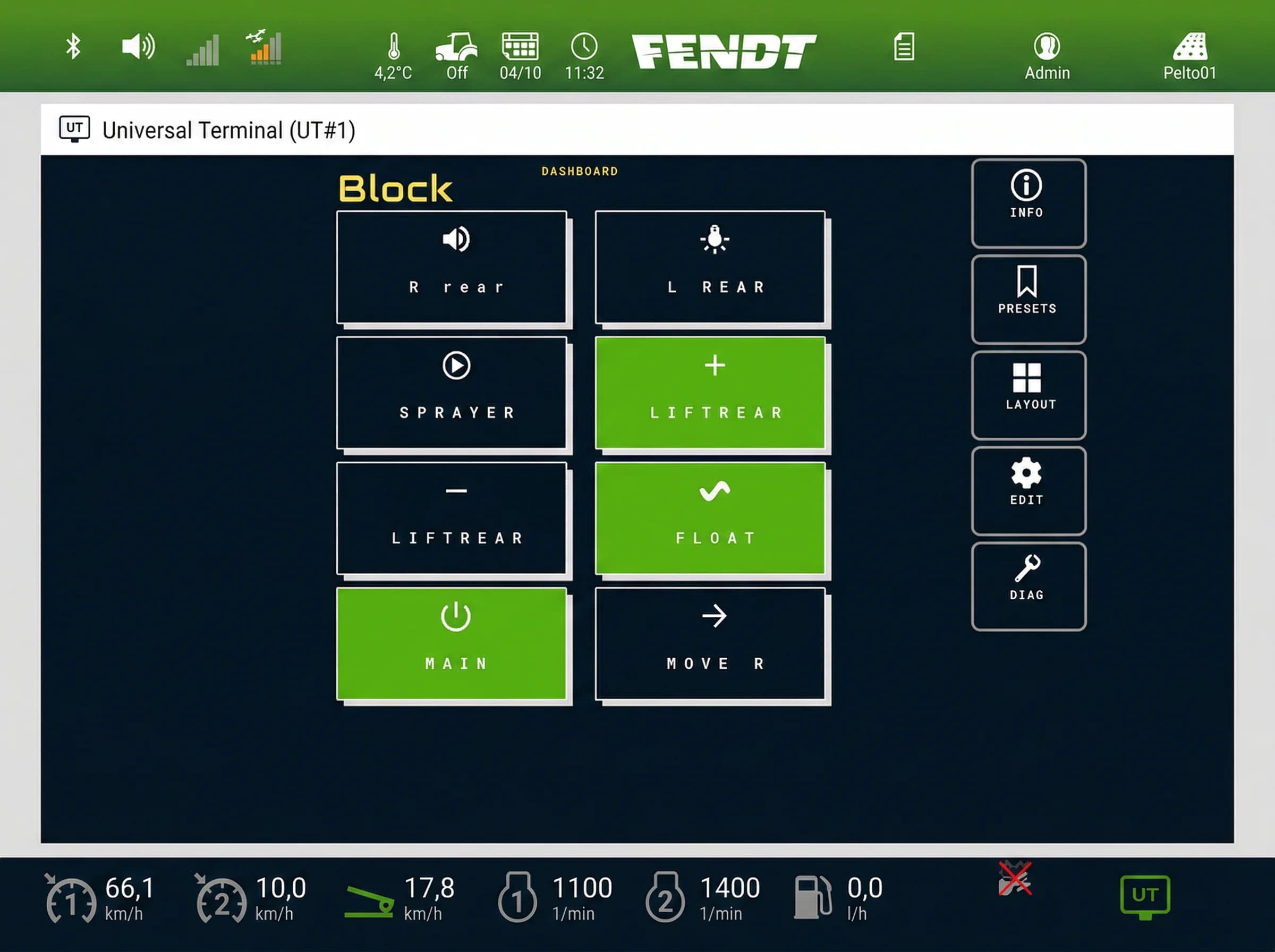
ISOBUS Block is not a Task Controller client. It has no TC-BAS, no TC-GEO, no TC-SC and no GPS input. It speaks VT and AUX-N only: its buttons appear on the tractor screen, each switching a relay channel, CH1 to CH8, in TOG or MOM mode, and you can assign them to joystick or armrest buttons.
A relay channel you switch from the screen or an AUX-N button is switched by you, not by a map. That fits loads with nothing to document: work lights, diverter valves, beacons.
If you still want a record of when a switched function was working, the tractor can often count it. Many tractors have a work-signal input for their own worked-area counter, and a relay channel can feed it. See trigger a tractor worked area counter with ISOBUS Block.
Frequently asked questions
What does an ISOBUS Task Controller do?
It records what an implement did during a job and can send it target values. TC-BAS stores totals, TC-GEO stores values by position and runs prescription maps, and TC-SC switches sections by position.
What is the difference between TC-BAS, TC-GEO and TC-SC?
TC-BAS records totals per task and needs no GPS. TC-GEO adds position, so you get as-applied maps and variable rate from a prescription map. TC-SC switches sections automatically to avoid overlap. Each is a separate function, and both the terminal and the implement must support the one you want.
What is ISOXML?
ISOXML is the file format for ISOBUS task data, defined in ISO 11783-10. Farm software writes tasks, fields, products and prescription maps into a TASKDATA.XML file. The terminal runs the tasks and the results come back in the same format, on a USB stick or by wireless transfer.
Is the Task Controller in the tractor or the implement?
The Task Controller is on the tractor side, usually as software in the terminal. The implement carries a Task Controller client in its own ECU. The client describes the implement to the Task Controller, reports values and takes commands.
Do I need a Task Controller for section control?
Yes. Automatic ISOBUS section control is the TC-SC function of the Task Controller. It also needs a GPS receiver and an implement whose ECU supports TC-SC. Switching sections by hand from buttons does not need a Task Controller.
Does every ISOBUS implement support the Task Controller?
No. An implement can have a full Virtual Terminal interface and no Task Controller client. Simple switched implements, and add-on devices such as relay modules, have nothing to log. Check the implement's spec sheet for TC-BAS, TC-GEO or TC-SC.
Need an ISOBUS relay module for controlling solenoids, work lights, or hydraulic valves? ISOBUS Block provides 8 relay outputs controlled directly from your tractor's Virtual Terminal display.