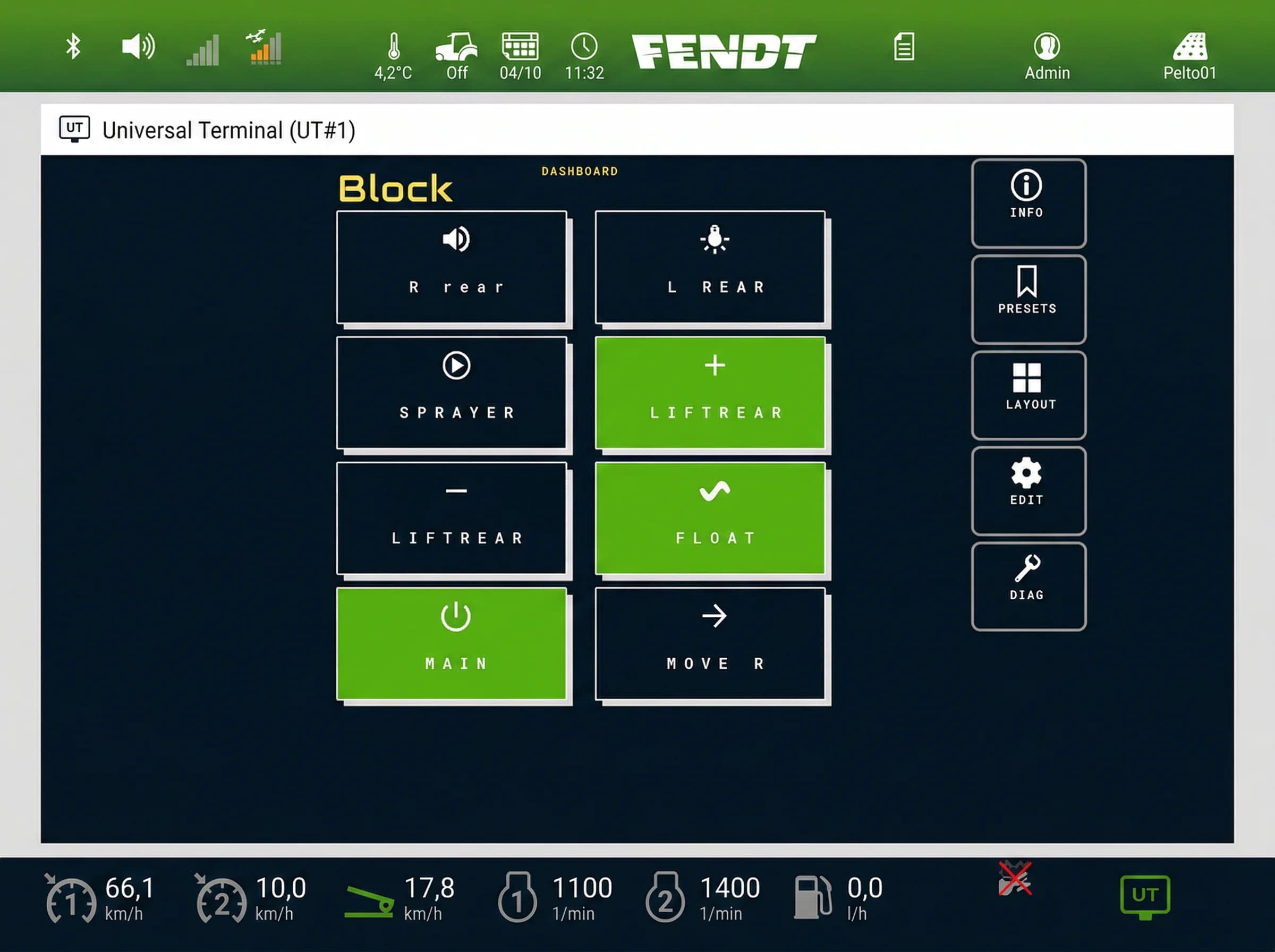
You plug in the implement, turn the key, and the terminal shows nothing. When ISOBUS is not working, the cause is almost always on a short list. You can check most of it from the cab with a multimeter and the terminal's menus.
Work through it in order. The depth, with measurement tables and fault code lists, lives in the ISOBUS troubleshooting guide and the ISOBUS fault codes guide.
First: is it the tractor or the implement?
Swap one side before you open any menus. Plug a different ISOBUS implement into this tractor, or take this implement to another tractor. If the other implement shows up, the tractor is fine: look at the implement, its plug and its cable. If nothing shows up on this tractor, start at the socket and the terminal.
The ISOBUS not working checklist: power and wiring
1. Is the implement powered?
The implement's electronics run on the ECU power pins of the ISOBUS socket. On the rear external socket that is pin 4 (ECU power) and pin 2 (ECU ground). On the in-cab socket it is pin 7 and pin 9. The ISOBUS connector pinout guide has both layouts.
- Key on, then measure. ECU power is switched with the tractor's ignition. With the key off, reading nothing at pin 4 is normal.
- Check the fuses. The tractor fuses its ISOBUS supply. If the socket is dead with the key on, check that fuse. The operator's manual says which one it is.
2. Is the bus terminated?
ISOBUS is a CAN bus, and a CAN bus needs a terminator at each end. The tractor terminates its end, and the implement terminates the far end of its own bus. A front socket is a second possible bus end: on some tractors an empty one needs a terminator plug.
Quick check: tractor off, measure between CAN_H and CAN_L. About 60 ohms is correct. About 120 means one end is missing. The ISOBUS terminator (TBC) explained covers where each terminator sits.
3. Is the plug seated and clean?
- Bent or pushed-back pins. A pin slid back into the housing makes no contact even when the plug looks home.
- Corrosion and dirt. Green crust or mud in the socket can break a CAN line. Clean, dry, refit.
- Half-latched connector. The rear connector is a breakaway type with a bayonet lock. A plug pushed in but not turned to its lock can contact some pins and not others.
Terminal and object pool
4. Has the terminal finished loading the object pool?
On connection, the implement uploads its screens, buttons and icons to the terminal. That package is the object pool. A small pool loads in seconds. A large implement on its first connection can take several minutes, with a progress bar or loading symbol on most terminals. Later connections are faster because the terminal keeps a stored copy.
Do not power-cycle mid-load. A pool cut off halfway can leave a broken copy on the terminal.
5. Clear the stored object pool and let it reload
A corrupt or outdated stored pool can stop the implement appearing, or show old screens after a software update. Menu names differ by brand and software version: look for the ISOBUS or UT settings, then an option to delete or clean up stored pools.
- Disconnect the implement.
- Open the terminal's ISOBUS settings and delete the stored pool for that implement, or all of them.
- Switch the tractor off at the main switch, not just the key, and wait about 30 seconds.
- Start up, let the terminal finish booting, then connect the implement and let the upload finish.
The Virtual Terminal guide explains what the pool contains.
6. Is ISOBUS UT enabled, and is this screen the VT?
On some terminals ISOBUS UT can be switched off in settings, or is an option the dealer has to activate. If it is off, no implement appears. Tractors with more than one screen, such as an armrest display and a corner-post terminal, may let you choose which one acts as the VT. Check which display is set as the primary VT.
Two implements, versions and buttons
7. One implement per socket
Many terminals are built around one implement on the front socket and one on the rear. Two implements through one socket on a Y-cable is a different case: it changes where the bus ends, and both share one socket supply. If the second implement makes the first disappear, run one at a time.
8. VT version mismatch
Terminals and implements are built to a VT version, and the pair works at the lower of the two. An implement built for a newer VT usually carries a fallback for older terminals. Without one, it may load with missing graphics or not at all. Compare the VT version on the terminal's info screen with what the implement manufacturer lists.
9. AUX-N assignments lost
AUX-N puts implement functions on the tractor's joystick and armrest buttons. The tractor stores the assignments per implement. They can go missing when:
- the implement or the terminal gets a software update that changes how the implement identifies itself,
- you switch to a different joystick, armrest or tractor,
- on some terminals, deleting the stored pool in step 5 also clears the assignments for that implement.
Assign the buttons again. Some terminals also ask you to confirm the stored assignment each time the implement connects, and the buttons do nothing until you do. That is by design. Step-by-step assignment is in the AUX-N complete guide.
10. When there is a fault code
If the terminal shows an alarm with an SPN and FMI number, write it down before you clear anything. The ISOBUS fault codes guide explains how to read them and what to check first for each type.
If the implement is the ISOBUS Block
The ISOBUS Block module connects to the tractor with only CAN and power. On the in-cab socket it uses four pins: CAN_L on 2, CAN_H on 4, BAT+ on 7 and ground on 9. It runs from the ECU power pins, 7 to 36 V, so steps 1 to 3 apply directly. The connector kits ship with loose contacts you crimp yourself: on a new install, check each crimp and that CAN_H and CAN_L are not swapped.
The module has an optional WiFi page. If you can open it, the module has power. From there you can view and switch the outputs, check the software version and run basic health checks. If the outputs switch from the WiFi page but the module does not appear on the terminal, the relays are fine and the problem sits on the CAN side: wiring, termination or terminal settings.
Button names, icons and TOG or MOM modes are configured from the terminal but stored in the module, so clearing the terminal's stored pool is safe: the module uploads it again when it reconnects.
Frequently asked questions
Why does my ISOBUS implement not show up on the terminal?
The usual causes are no power at the socket, a plug not fully seated, missing termination, or a corrupt stored object pool. If another implement shows up on the same tractor, the fault is on the implement side.
How long does an ISOBUS object pool take to load?
Seconds for a small pool, several minutes for a large implement connecting for the first time. Later connections are faster because the terminal keeps a stored copy. Do not switch off during the upload.
How do I reset ISOBUS on the terminal?
Disconnect the implement, delete its stored object pool in the terminal's ISOBUS settings, and switch the tractor off at the main switch for about 30 seconds. Start up, let the terminal boot, then reconnect and let the pool upload finish.
Why did my AUX-N assignments disappear?
The tractor stores AUX-N assignments per implement, and a software update on either side can clear them. Assign the buttons again. Some terminals also ask you to confirm the assignments every time the implement connects.
Can I run two ISOBUS implements at the same time?
Yes, on many tractors: one on the front socket and one on the rear. The terminal shows one implement at a time and you switch between them. Two implements through one socket on a Y-cable raise termination and power questions, so check the terminal's manual first.
Need an ISOBUS relay module for controlling solenoids, work lights, or hydraulic valves? ISOBUS Block provides 8 relay outputs controlled directly from your tractor's Virtual Terminal display.